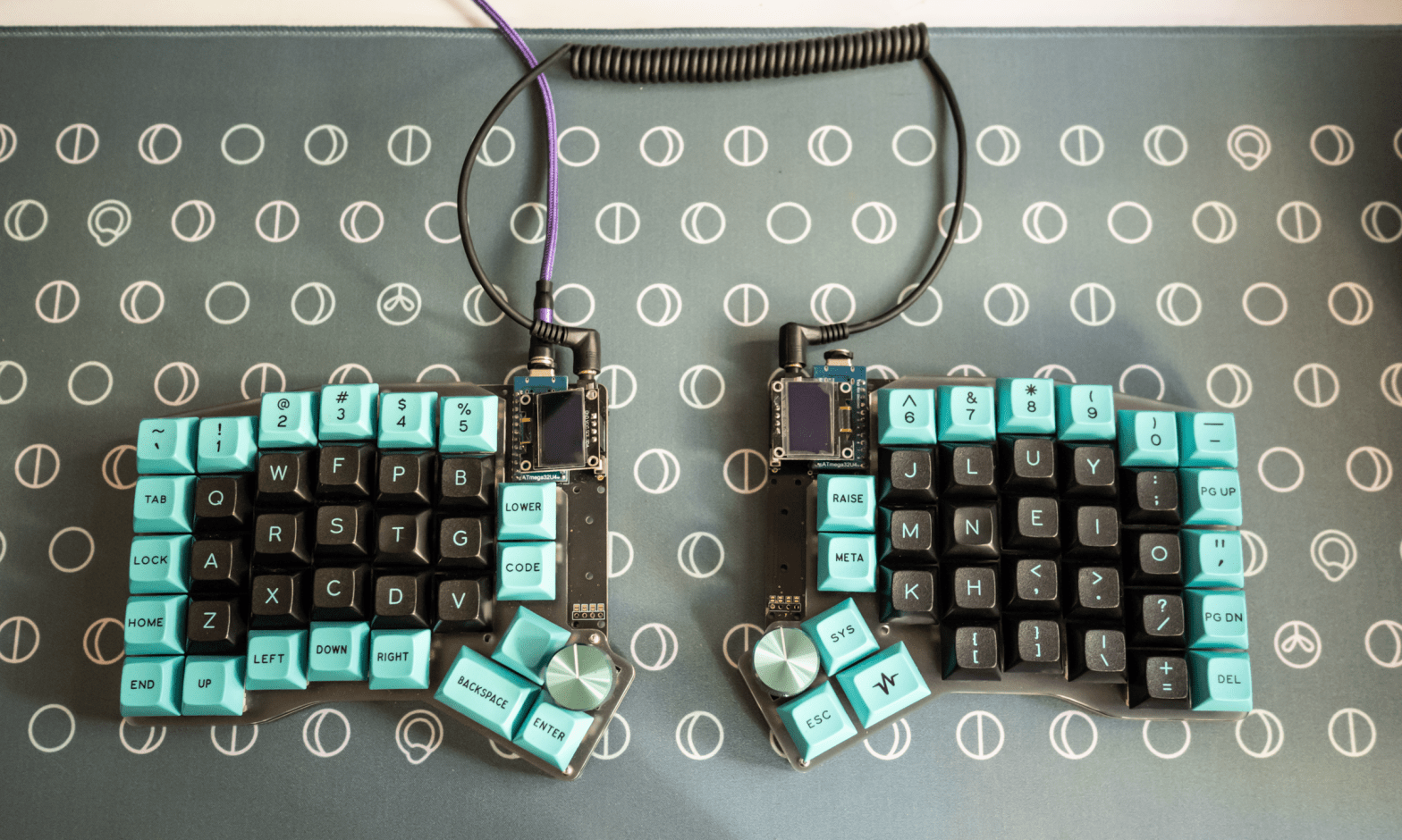
So, this is what my keyboard (well, one of my several keyboards) looks like:
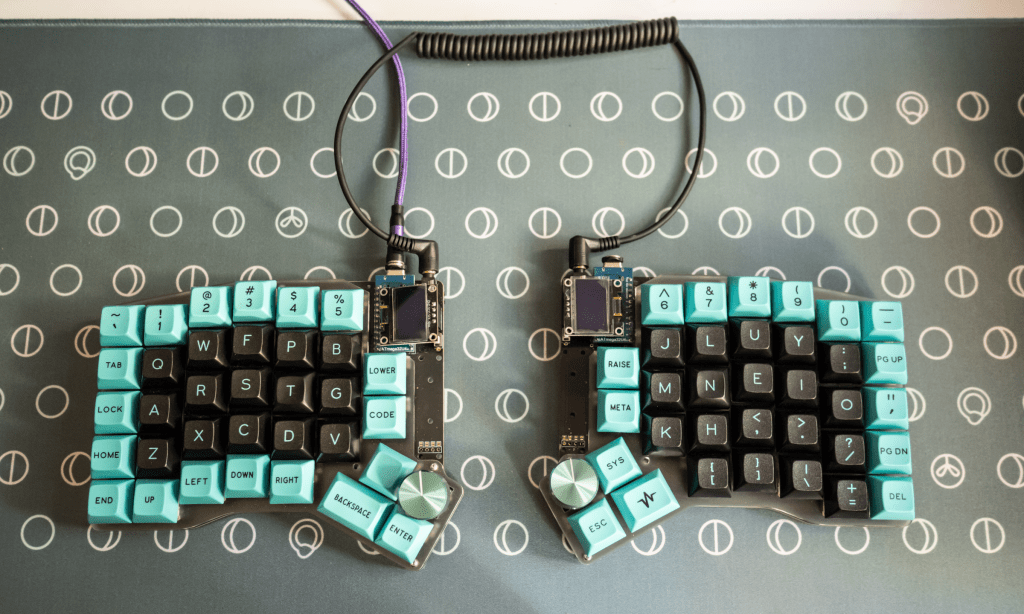
Back when I was working in the office full-time, I was using a keyboard very similar to this one. The sight of my keyboard evoked a range of curious reactions, from confused stares to incredulous comments, such as “How do you even type on that?” And I wasn’t sure what to say to that other than “By pressing the keys…?” But there were also many questions from those genuinely interested, with “Why this?” being the most frequent of the FAQs.
The very brief explanation is that I find this type of keyboard far more comfortable to use than typical keyboards. But I thought it’d be fun to also address other, more specific questions that I’ve gotten. If you’re looking to make your own typing experience more pleasant, feel free to read on; you might get some useful ideas.
Is that a keyboard for gaming?
I was initially surprised by how common this question was, but it makes sense; most “fancy” mechanical keyboards are marketed as gaming keyboards. But while my keyboard can be used for gaming, that’s not the reason for its unusual design.
It’s for ergonomics.
Why is your keyboard in two pieces? Or is that two keyboards?
Great question. My keyboard is a “split keyboard”. The two halves function as a single keyboard and communicate with each other via that coiled cable (a TRRS cable) that connects them. The advantage of using a split keyboard is that it can be more comfortable.
When typing on a regular keyboard, you would need to put your forearms close together in the middle. This can cause you to strain your shoulders.

With a split keyboard, you can put the halves at about shoulder-width apart, which should feel more comfortable, especially for long periods of typing. That’s why split keyboards are often marketed as ergonomic keyboards.
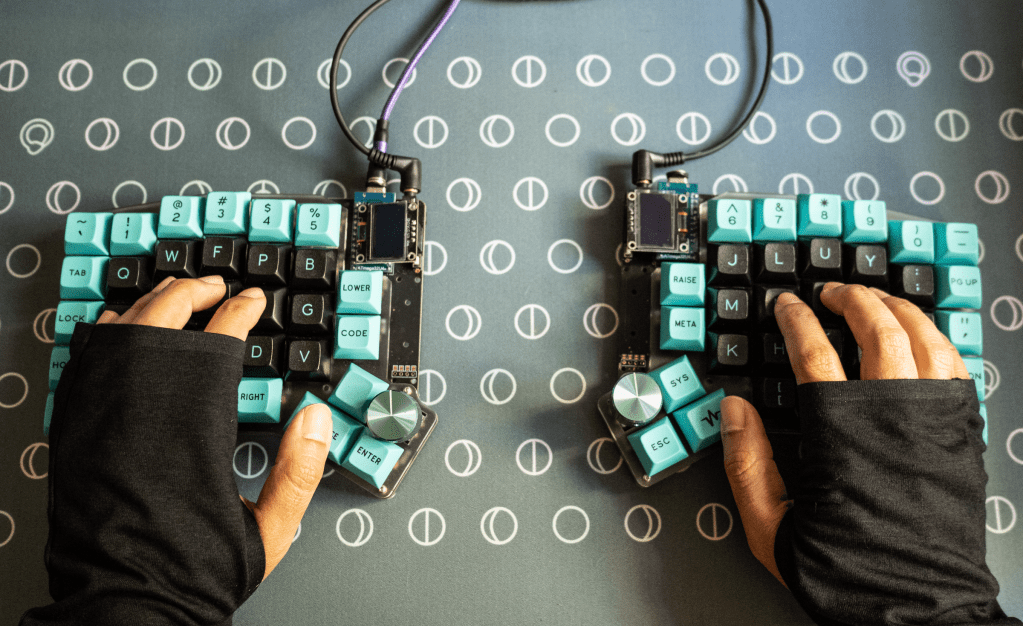
You can also see that there are more keys for the thumbs, which allows you to use both thumbs more efficiently, compared to just pressing the same long spacebar key.
It definitely takes some time to get used to using a split keyboard, but I’ve found that the long-term benefits are worth it. I’ve experienced much less discomfort and pain with my current keyboard after long periods of typing, compared to back when I used regular keyboards.
Apart from the split, my keyboard functions like most mechanical gaming keyboards than you can pick up from Amazon on an electronics store.
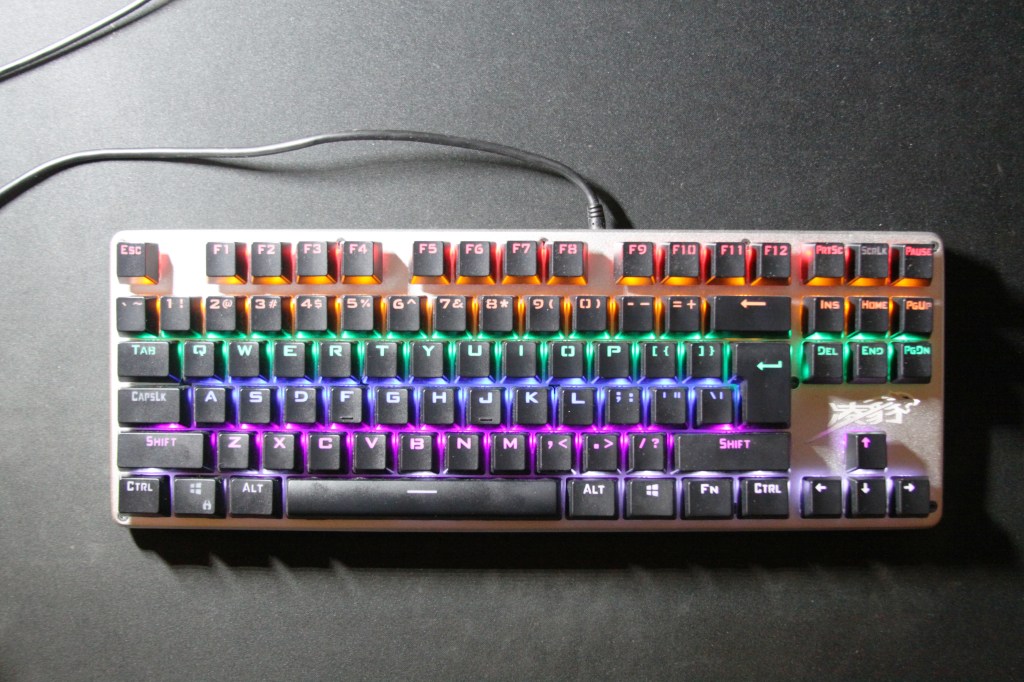
Why are the letters arranged differently from a normal keyboard?
The typical layout for letters on keyboard, QWERTY, is simply not the best layout for touch-typing. It’s a legacy from the time of telegraphs and typewriters; the prevailing theory is that implementing QWERTY on typewriters made it easier for telegraph operators to transcribe Morse code quickly. QWERTY has somehow stuck around as the default layout, even though there are more efficient layouts for modern use.
My keyboard uses an arrangement called Colemak — more specifically, a variant called Colemak-DH.
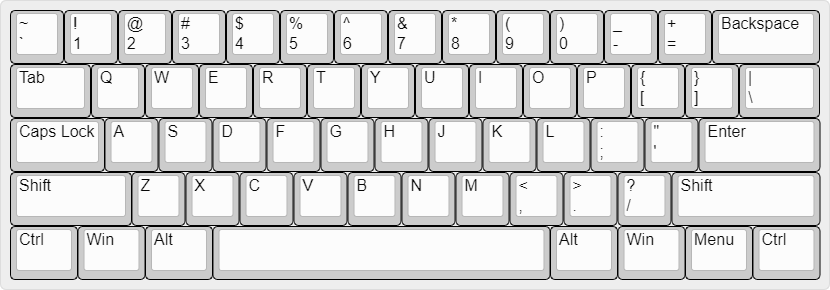
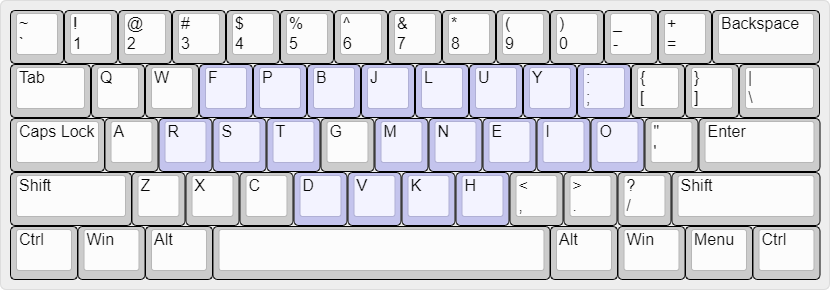
Jury’s still out on which layout is truly the best, but Colemak-DH’s proponents maintain that it requires far less hand movement than QWERTY, while being easier to learn than other alternative layouts such as Dvorak. The most commonly-used letters are moved to the middle row of alpha keys (AKA the home row), where your fingers rest. This reduces how often you need to move your hands up and down the rows when typing. Colemak is also popular enough that it’s an input option in a number of operating systems, including Mac and Android.
Switching to Colemak is a big commitment, though. It took me two months of practice to get to my original typing speed with Colemak. And then there’s trying to find keycaps for mechanical keyboards that are compatible with Colemak…But I’m getting too deep here. Let’s just say it’s possible, and is getting easier, but Colemak-compatible hardware can still be tricky to find. The long-term benefits of using Colemak (much-reduced hand movement) make it worth it for me, though, given that I have pretty small hands. If you have long fingers and don’t need to strain to reach any of the keys, switching to a non-QWERTY layout probably wouldn’t improve your typing experience as much.
Okay, but there’s something else about the key arrangement that seems different…
Yup. On a regular keyboard, the rows of keys are staggered.

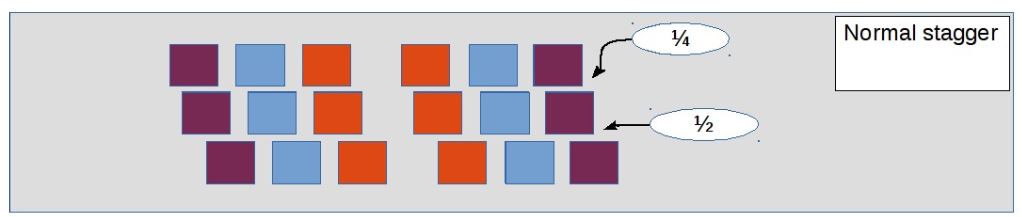
Keyboard image by Freepik. Keyboard stagger diagram from Deskthority.
On many split keyboards, the columns are staggered.
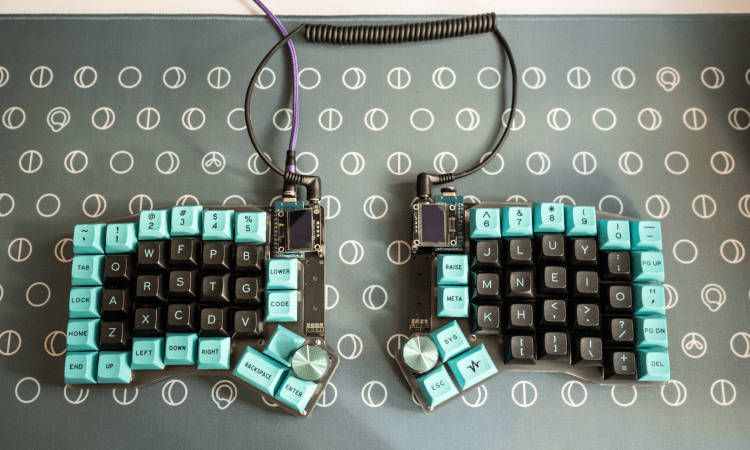
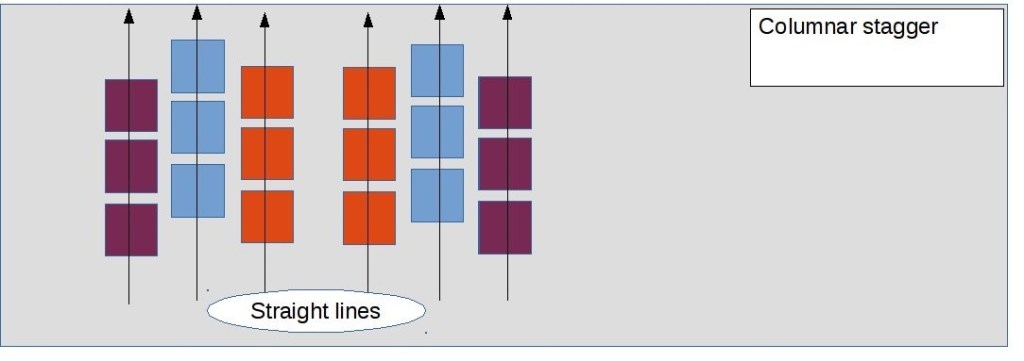
The keyboard row stagger, like QWERTY, is a holdover from a different age; the mechanism of typewriters made the stagger necessary. All it really does for us now increase how much hands need to move. The columnar stagger is meant to take into account the different lengths of fingers, to some degree at least — after all, relative finger lengths will vary from person to person.
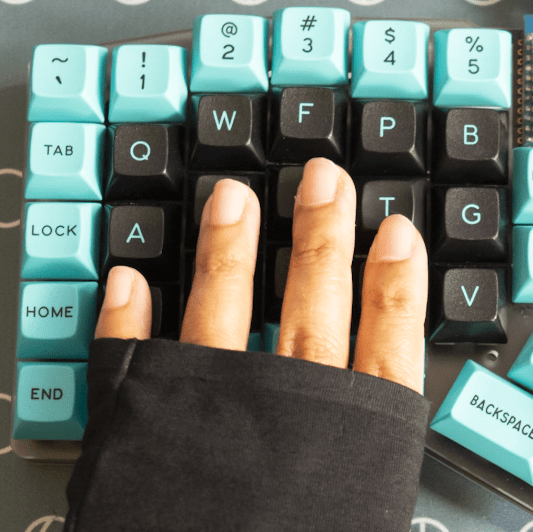
What are those metal knobs? And those tiny screens?
Those knobs called rotary encoders. They pretty much work like volume knobs on a speaker — they do one thing (e.g. increase volume) when rotated clockwise, another thing (e.g. decrease volume) when rotated anti-clockwise. You can learn to program them to execute many other functions too, like scrolling up/down or left/right, zoom in/zoom out, increase/decrease screen brightness…the list goes on. They’re pretty neat. I get an inordinate amount of joy from being able to use knobs to zoom in/zoom out of documents or to page-scroll quickly through PDFs.
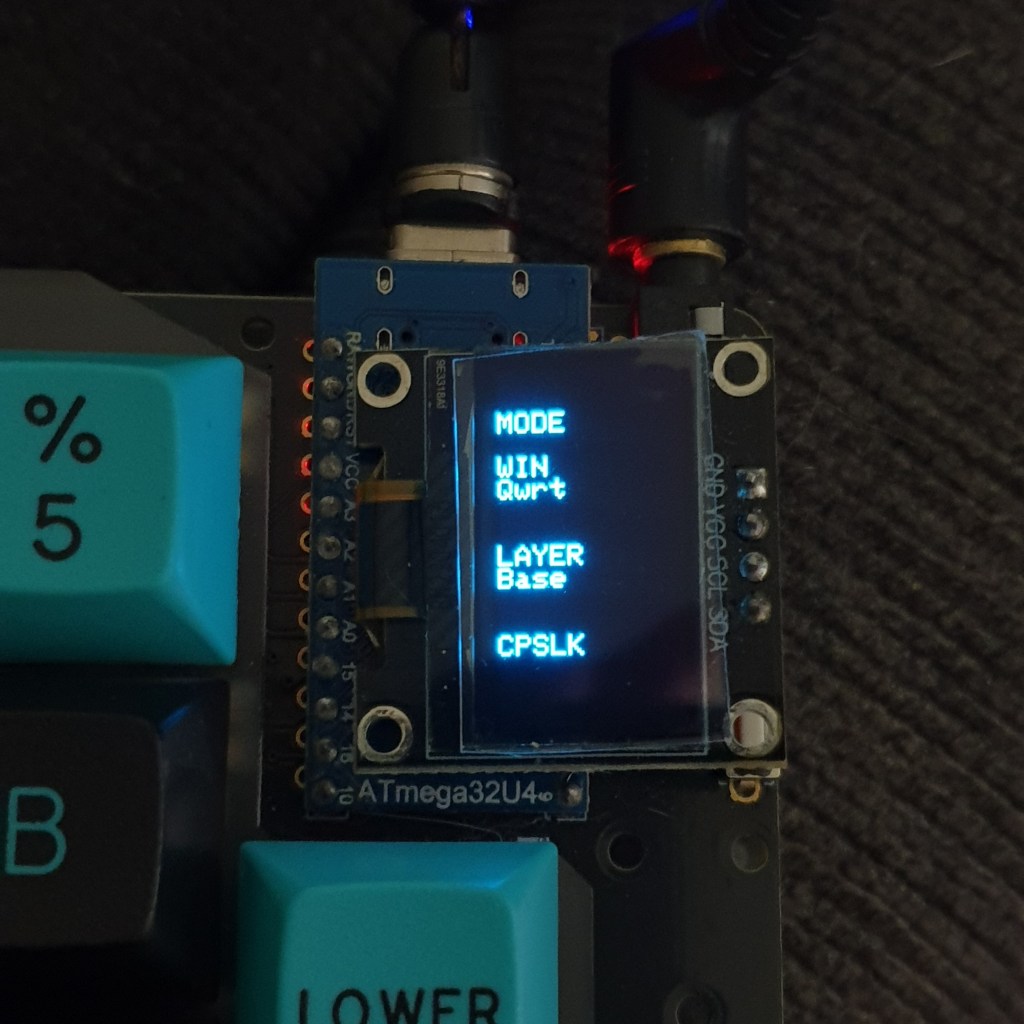
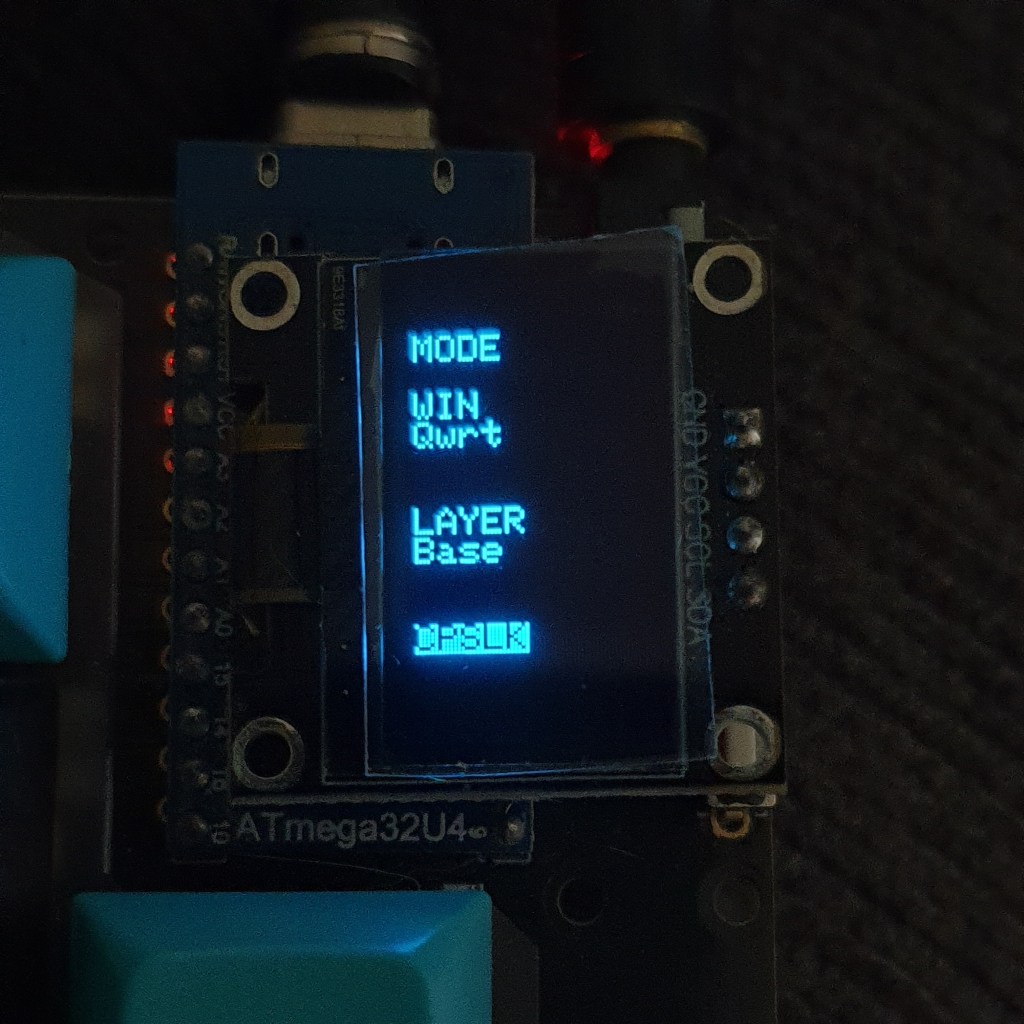
The tiny screens have a number of uses. I won’t go into all of them here, but one feature you might appreciate is that they show when the Caps Lock is turned on.
Hang on. Where’s your Shift key? Your Ctrl key? What are those Lower / Raise keys?
The simple explanation is that some of the keys on the keyboard have more than one function. Some of the alpha keys on my keyboard pull double-duty and also function Shift and Ctrl keys. The Lower / Raise keys are kinda related to that. The full information could take up its own article. If you’re curious enough about this, you can read up about function layers. Or leave a comment below, and I’ll break it down as simply as I can in another post.
Where can I get a split keyboard or an ergonomic keyboard?
Dygma Raise and Dygma Defy, Ergodox, Moonlander and Kinesis keyboards are fairly readily available. However, you’ll notice that they are not cheap —from USD 99 for a split membrane keyboard (i.e. non-mechanical) to around USD 300–400 for mechanical versions. That high cost is one big drawback of switching to split keyboards. But quality mechanical keyboards are pretty durable, and so a mechanical split keyboard can be a worthwhile long-term investment, especially with the ergonomic benefits.
The keyboard I’m using probably looks unrefined compared to the ones I linked to. That’s because the keyboard came as a set of parts in a DIY kit, and I assembled the parts to build a keyboard (some soldering required). Hey, don’t look so shocked. Some people knit for leisure; others build model figures or Lego sets; people like me find soldering parts to a circuit board fun.
Thanks for sticking with me all this way. I hope you gleaned some useful (or at least, interesting) information here. Feel free to leave a comment if you have questions for me or have any thoughts you’d like to share about split keyboards.
 Farah Natasya Roslee
